> products / sellokart
SelloKart: Fast billing for supermarkets and retail.
SelloKart is a barcode-driven point of sale built for the Windows counter. It keeps billing even when the internet drops, and a cloud portal lets owners watch every branch.
> retail pos
Fast billing for supermarkets and retail.
Barcode-driven billing that keeps working offline, with inventory, purchases and accounts — and a cloud portal to watch every branch.
- Retail
- Offline-first
- Cloud sync
$ sellokart checkout --scan
- ✓Barcode & weighed-item billing
- ✓Low-stock and expiry alerts
- ✓Purchases, returns & ledgers
- ✓Multi-branch cloud reports
> ready
> see it
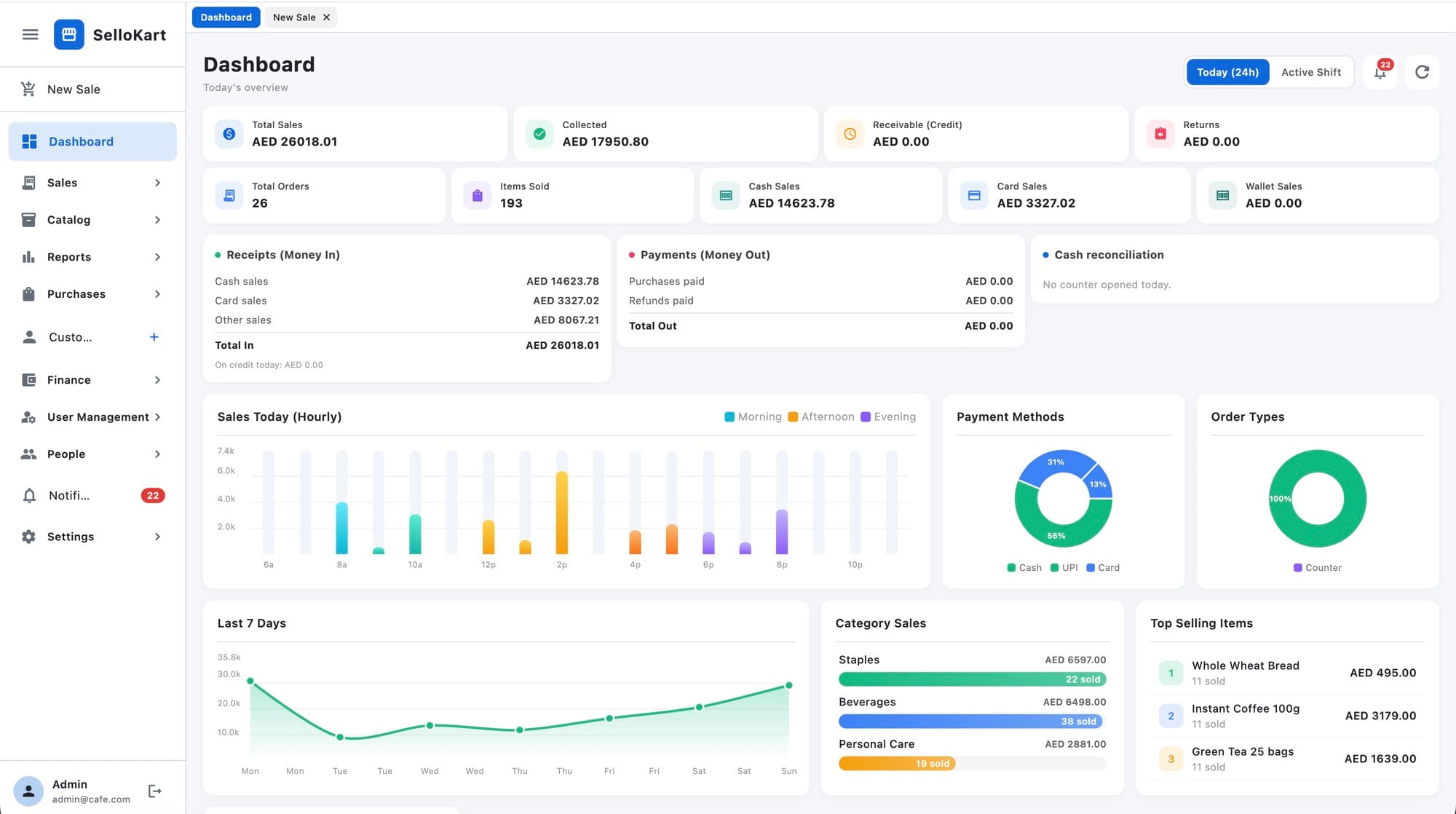
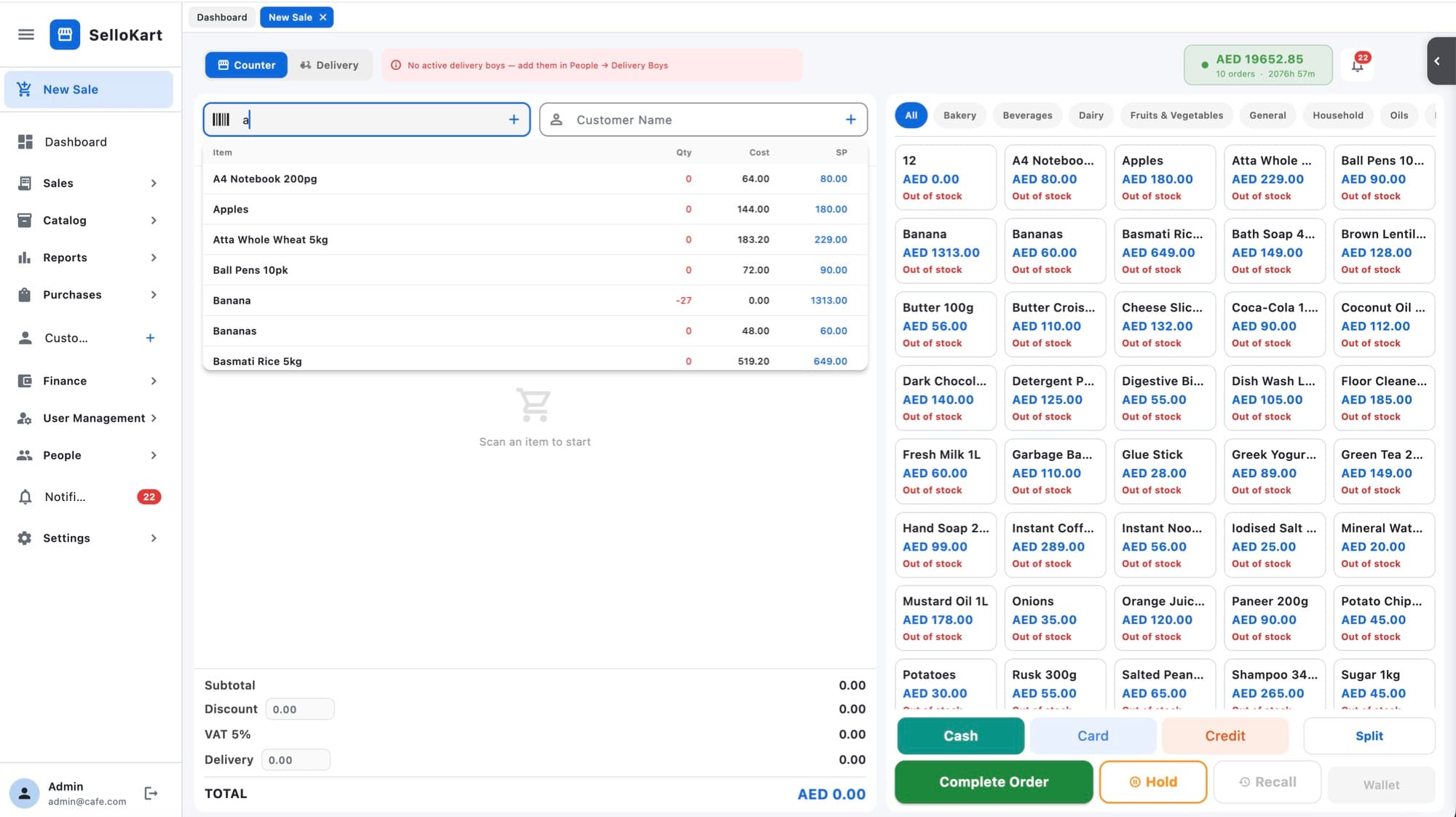
SelloKart in action
> features
What SelloKart does
Billing
- Barcode-scan billing with quick search
- Weighed items sold by decimal quantity
- Sales returns and return history
- ESC/POS receipt printing
Inventory
- Categories, products and stock levels
- Low-stock, expiring and expired alerts
- In-store barcode generation for loose items
- Bulk product import from CSV
Purchases & finance
- Purchase lists and purchase returns
- Receivables and payables
- Ledgers for customers and suppliers
Reports & people
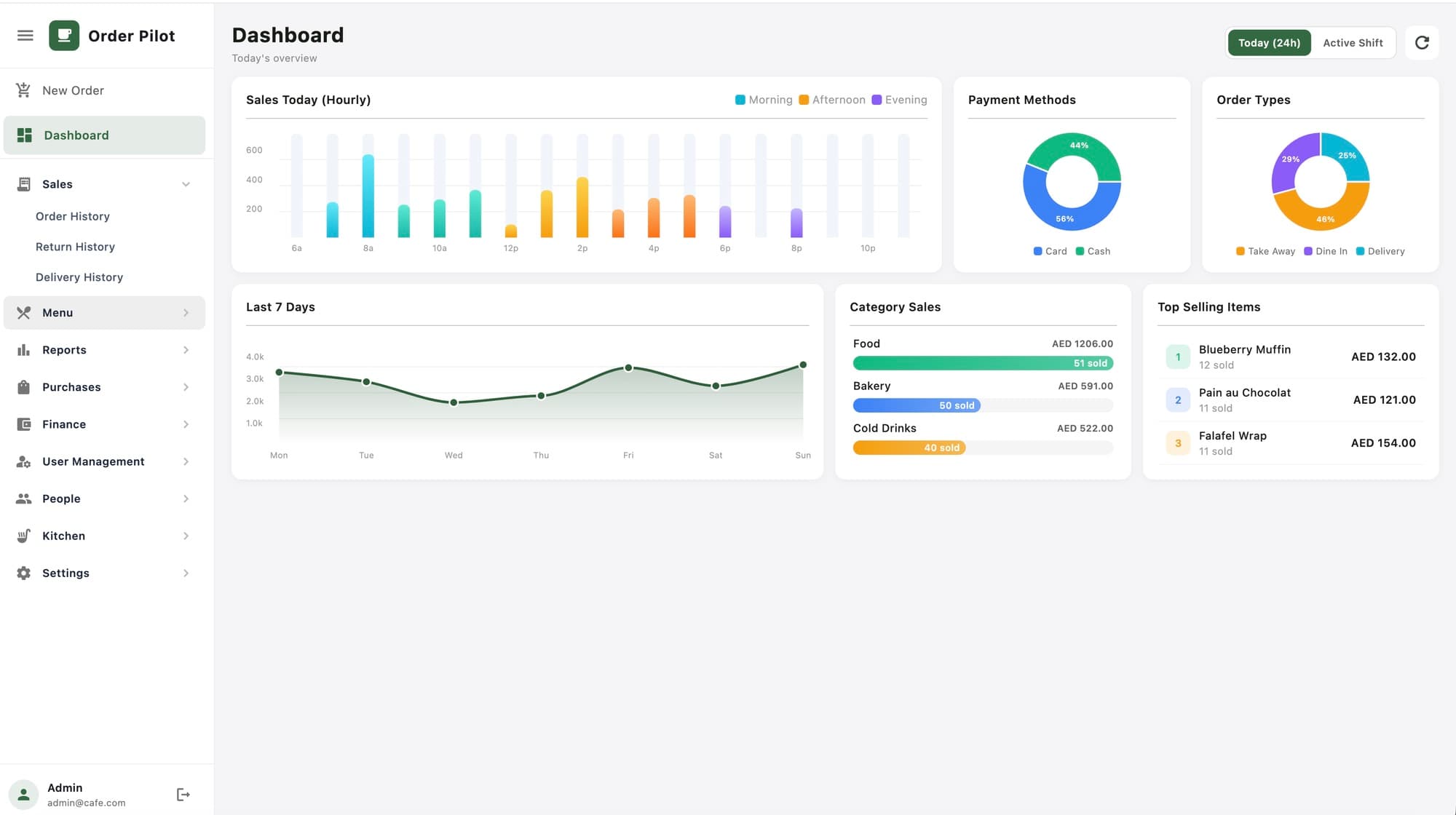
- Dashboard with sales, orders and items sold
- Sales and shift reports
- Customers, suppliers and staff
> who it's for
Built for businesses like yours
- Supermarkets and grocery stores with barcode scanners
- Convenience stores and mini-marts selling by weight
- Multi-branch retailers who want one view of every shop
- Owners who want stock, purchases and accounts in one system
> platforms
Where it runs
- Windows desktop (primary)
- Cloud web portal
- Companion barcode scanner app
- Offline-first
- Local database on the counter keeps billing running without internet.
- Cloud sync
- Branch data syncs to the cloud portal when online.
- Encrypted data
- The local database is encrypted on disk.
- Licensed per shop
- Simple licence keys per installation.
> how it works
From first call to first day live
- 01
Set up
We install SelloKart and import your product list.
- 02
Train
Cashiers learn scan-and-bill in about an hour.
- 03
Go live
Start billing, then watch every branch from the cloud portal.
> faq
Common questions
Does it work without internet?
Yes. Billing uses a local database, so the counter keeps working offline and syncs when the connection returns.
Which scanners and printers work?
Standard keyboard-style barcode scanners and ESC/POS receipt printers.
Can I manage several branches?
Yes. The cloud portal gives you consolidated reports across branches.
Can I import my existing products?
Yes. Products can be imported in bulk from a CSV file.
> let's build something
Tell us where you want to go with AI, data or cloud — we'll reply within one working day.